
How to Set Up a Professional Whatnot Stream for Trading Cards (2026)

Part 1: Technical Setup and Stream Preparation
Your cards may bring viewers into your stream, but your setup and personality determines whether they stay long enough to become buyers.
Every successful Whatnot seller starts with the same goal: sell great cards while creating an enjoyable experience for collectors. Unfortunately, many new sellers focus almost entirely on the inventory they're offering and very little on how that inventory is presented.
Think about it from the buyer's perspective.
You're scrolling through dozens of live streams. One seller has excellent lighting, crystal-clear video, organized auctions, and confidently answers questions while quickly moving from one card to the next.
Another seller has a shaky phone balanced on a stack of books. The room is dark, holographic cards reflect the ceiling light, the microphone echoes, and every few minutes they disappear off camera to find the next card.
Even if both sellers are offering the exact same Charizard, which stream would earn your trust?
The answer has very little to do with the value of the cards.
Trust is built through presentation.
The good news is that you don't need a professional production studio to create a professional-looking Whatnot stream. Most successful sellers start with simple equipment and gradually improve their setup over time. The goal isn't perfection. It's removing distractions so buyers can focus on your cards instead of your technical problems.
This guide will walk through the technical side of building a reliable Whatnot streaming setup, explaining not just what to do, but why each decision matters.
How to Set Up a Whatnot Stream: Start With the Right Space
Before purchasing a single piece of equipment, choose where you'll stream.
Your streaming space doesn't need to be large. In fact, a smaller dedicated workspace is often easier to manage than trying to set up in different locations every time you go live.
Look for a space that offers:
The goal is consistency. If your setup stays assembled between streams, you'll spend less time troubleshooting and more time selling.
Your Internet Connection Is More Important Than Your Camera
Many new sellers spend hundreds of dollars learning how to set up a Whatnot stream, and upgrading their camera while continuing to stream over unreliable Wi-Fi.
A dropped stream loses buyers faster than almost anything else.
Whenever possible, connect your computer directly to your router using an Ethernet cable. A wired connection is generally more stable than Wi-Fi and reduces the chance of buffering or sudden disconnects.
If Ethernet isn't possible, stream as close to your wireless router as you can and avoid streaming while other people in your home are downloading large files or watching 4K video.
Before every stream, run a quick internet speed test.
Pay particular attention to your upload speed, since you're sending video to Whatnot rather than downloading content.
Lighting Creates Confidence
Collectors want to inspect corners.
They want to inspect edges.
They want to inspect surfaces.
Poor lighting makes all of those difficult.
Ironically, brighter isn't always better.
A single overhead light often creates harsh reflections that hide scratches and make foil cards difficult to see.
Instead, use two light sources positioned at roughly 45-degree angles to your workspace. This reduces shadows while minimizing glare.
If you're using a ring light, experiment with its position rather than pointing it directly at the card.
A few minutes spent adjusting your lights can dramatically improve how your cards appear on camera.
Camera Placement Matters More Than Camera Price
You do not need a thousand-dollar camera to start selling successfully.
Modern smartphones produce excellent video quality and are more than capable of handling a beginner Whatnot stream.
What matters more is consistency.
Your camera should remain stable throughout the stream.
Avoid holding your phone in your hand whenever possible.
Instead, mount it securely above your workspace so buyers always have a clear view of the card.
Position the camera close enough to show details while leaving enough room to comfortably move cards into view.
A stable camera immediately makes your stream feel more professional.
Clear Audio Builds Trust
Collectors will forgive average video long before they'll forgive poor audio.
If viewers constantly ask you to repeat yourself, they'll eventually leave.
Choose a quiet room whenever possible.
Turn off fans, televisions, and unnecessary electronics before going live.
As your channel grows, consider investing in a dedicated USB microphone, but don't assume expensive equipment automatically creates better audio.
Speaking clearly in a quiet room is often more valuable than an expensive microphone placed in a noisy environment.
Keep Your Background Simple
Your cards should be the star of the show.
A cluttered background pulls attention away from what you're selling.
You don't need expensive decorations or elaborate shelving.
A clean desk, neutral wall, or simple branded backdrop often looks more professional than a room filled with distractions.
Ask yourself one question:
Does anything behind me compete with the cards I'm trying to sell?
If the answer is yes, simplify it.
Organize Your Workspace Before You Go Live
A great stream isn't just about what viewers see.
It's about what they don't see.
If you're constantly reaching across your desk, untangling cables, or searching for supplies, buyers notice.
Arrange your workspace so your most frequently used items remain within easy reach.
Think through the order of your workflow.
Where will sold cards go?
Where are your penny sleeves?
Where are your top loaders?
Where is your tape?
Every unnecessary movement slows your stream and interrupts the buying experience.
Professional broadcasters don't assume their equipment is working.
Neither should you.
A short private test stream can prevent technical problems that would otherwise interrupt your live show.
Five minutes of preparation is much easier than apologizing to hundreds of viewers after your stream crashes.
Build Redundancy Into Your Setup
Technology eventually fails.
Prepare for it.
Keep spare charging cables nearby.
Have an extra phone charger available.
If possible, keep a backup internet option, such as a mobile hotspot.
A small investment in backup equipment can save an entire stream.
Professional sellers don't avoid technical problems because they're lucky.
They avoid them because they're prepared.
Technical Excellence Creates Buyer Confidence
A professional Whatnot stream isn't defined by expensive cameras or elaborate lighting.
It's defined by consistency.
Buyers should be able to clearly inspect every card.
They should hear every word you say.
They should never wonder whether your stream is about to disconnect.
When your technical setup disappears into the background, your inventory takes center stage.
That's exactly where you want your viewers' attention.
Part 2: Build an Inventory and Shipping System That Scales
A professional stream doesn't end when the auction closes. In many ways, that's when the real work begins.
In Part 1, we focused on the technical side of streaming. You learned how lighting,
camera placement, audio quality, and a reliable internet connection work together to create a professional experience that inspires buyer confidence.
Now it's time to look behind the camera.
One of the biggest mistakes new Whatnot sellers make is assuming that once they've built a great-looking stream, they're ready to go live.
The reality is that every successful stream creates something else: work.
Every sold card has to be located, verified, protected, organized, packed, shipped, and delivered accurately. Without a repeatable system, even a successful stream can quickly become overwhelming.
The goal isn't simply to sell more cards. It's to create a process that allows you to sell more cards without creating more stress.
Think of your inventory and shipping workflow as an assembly line. Every step should naturally lead to the next, allowing you to spend more time interacting with buyers and less time searching for supplies.
Organize Before You Ever Go Live
Many sellers organize their inventory while they're streaming.
That's almost always a mistake.
Every second you spend searching for a card is a second your viewers aren't engaged.
Instead, prepare everything before you press the "Go Live" button.
There isn't one perfect system.
The best system is the one that allows you to immediately locate any card in your inventory without hesitation.
If you have to stop and think where something is, your system needs improvement.
Your inventory doesn't need expensive software.
Many successful sellers begin with a spreadsheet.
When someone purchases a card, you already know exactly where it belongs before your stream even starts.
As your inventory grows, this simple habit can save hours every week.
Think Like a Warehouse, Not a Collector
Collectors often organize cards for display.
Sellers organize cards for retrieval.
Those are two very different goals.
Your inventory should answer one question:
How quickly can I find the next card?
That means using storage boxes, dividers, labels, and consistent organization throughout your collection.
A buyer should never wait because you're trying to remember which box contains the card they just purchased.
Create a Stream Workflow
Every successful sale should follow the same process.
Consistency reduces mistakes.
When every sale follows the same routine, you spend less mental energy deciding what to do next.
That allows you to stay focused on your audience instead of your process.
Create a Dedicated Completed Orders Area
One of the easiest ways to lose a card is placing sold inventory back into your unsold inventory.
Avoid this by creating a dedicated space for completed orders.
Whether it's a plastic storage bin, letter tray, or organizer, every sold card should immediately move into a designated area.
Nothing returns to your inventory once it's sold.
This simple habit dramatically reduces shipping mistakes.
When your stream ends, you shouldn't have to search your house for tape.
Everything you need should already be waiting.
A good shipping station keeps every essential supply within arm's reach.
The less time you spend gathering supplies, the more efficiently you can fulfill orders.
Protect Your Reputation Through Packaging
Every package represents your business.
Buyers remember how their cards arrived.
A card that arrives bent, scratched, or poorly protected often creates a negative experience that overshadows the excitement of the purchase itself.
Develop a consistent packing routine.
Inspect the card one final time.
Sleeve it.
Protect it.
Seal it securely.
Verify the shipping label.
Then place it with completed packages.
Consistency prevents costly mistakes.
Reduce Mistakes With Quality Control
Even experienced sellers occasionally make mistakes.
What separates successful businesses from struggling ones is having a system that catches those mistakes before they leave the building.
Thirty seconds of quality control can save hours of customer service later.
Build Systems That Grow With You
When you're selling five cards during a stream, it's easy to keep everything organized.
When you're selling fifty cards, organization becomes the difference between an enjoyable business and an exhausting one.
The goal isn't simply to work harder.
It's to create systems that continue working even as your business grows.
Every labeled storage box, every completed orders bin, every checklist, and every organized shipping station removes one more obstacle between the auction and the mailbox.
That's how successful Whatnot sellers scale their business without sacrificing the customer experience.
Part 3: Choosing the Right Equipment and Building Your Workspace
The best Whatnot setups aren't built by buying the most expensive equipment. They're built by solving problems.
If you've made it this far, you've already accomplished two of the most important steps toward building a successful Whatnot business.
In Part 1, you learned how to create a technically reliable stream with good lighting, clear audio, and a stable internet connection.
In Part 2, you built the systems behind the scenes that keep inventory organized and orders moving efficiently from your desk to your buyers' mailboxes.
Now it's time to bring everything together.
This is where many new sellers make an expensive mistake.
They assume buying better equipment will automatically make them a better seller.
In reality, the opposite is often true.
Professional sellers don't buy equipment because it's expensive. They buy equipment because it solves a specific problem.
Does this camera help buyers inspect cards more clearly?
Will this lighting reduce glare?
Does this storage system help me find inventory faster?
Will this label printer save me time after every stream?
If the answer is yes, it's probably a worthwhile investment. If not, your money is likely better spent elsewhere.
Let's look at the pieces of equipment that provide the biggest improvements to your workflow and your buyers' experience.
Start With the Camera You Already Own
One of the biggest myths surrounding live selling is that you need a professional DSLR camera before you can build a successful stream.
You don't.
Modern smartphones produce excellent video quality and are more than capable of showcasing trading cards.
If you're just starting out, use the phone already in your pocket.
As your business grows, you can decide whether upgrading to a dedicated webcam or mirrorless camera makes sense.
Regardless of which camera you use, stability matters more than resolution.
A securely mounted smartphone almost always looks more professional than an expensive camera that's constantly shaking.
Invest in Good Lighting Before an Expensive Camera
If you only have room in your budget for one upgrade, make it lighting.
Good lighting makes every camera perform better.
Poor lighting makes every camera look worse.
LED panel lights are often easier to position than ring lights because they allow you to illuminate your workspace from multiple angles, reducing glare on holographic and glossy cards.
Experiment with different positions until buyers can clearly inspect corners, edges, and surfaces without distracting reflections.
Your goal isn't dramatic lighting.
It's accurate lighting.
Keep Your Audio Simple
Your audience needs to hear you clearly.
That doesn't necessarily require expensive recording equipment.
If you're streaming from a quiet room, your phone or webcam microphone may be perfectly adequate.
As your streams grow, a dedicated USB microphone can provide clearer audio while reducing background noise.
Whatever microphone you choose, place it close enough that you can speak naturally without raising your voice.
Collectors are there to buy cards, not struggle to understand what you're saying.
Use a Stable Mount
Whether you're using a smartphone or a webcam, invest in a quality mount.
A stable overhead mount allows you to keep both hands free while presenting cards.
It also creates a consistent viewing angle that buyers quickly become comfortable with.
Constantly repositioning your camera throughout a stream can become distracting.
Your equipment should disappear into the background, allowing the cards to remain the center of attention.
Choose a Desk That Fits Your Workflow
Your desk is your command center.
A crowded workspace slows everything down.
The more organized your desk remains, the smoother your stream will feel.
Don't Underestimate Organization Products
Some of the best investments you'll make aren't cameras.
They're organizers.
Simple storage bins, drawer organizers, plastic sorting trays, shelf dividers, and desktop organizers can dramatically reduce wasted movement throughout your stream.
Every second spent looking for a card is time you're not engaging with buyers.
Good organization keeps your attention where it belongs.
Protect Every Card
Presentation doesn't stop when the auction ends.
Having protective supplies readily available allows you to package each order immediately.
within easy reach.
Running out of supplies in the middle of fulfillment creates unnecessary delays and frustration.
Build an Efficient Shipping Station
A dedicated shipping station can easily save hours every month.
When every tool has a permanent place, packing orders becomes almost automatic.
Manage Your Cables
Few things make a workspace feel cluttered faster than tangled cables.
Simple cable sleeves, Velcro ties, adhesive clips, and surge protectors keep everything organized while reducing the chance of accidentally disconnecting equipment during a live stream.
Cable management may not be exciting, but it contributes to a cleaner, safer, and more professional workspace.
Upgrade Slowly and Intentionally
It's easy to watch large Whatnot sellers and assume you need thousands of dollars worth of equipment before you can succeed.
You don't.
Start with reliable basics.
Learn your workflow.
Identify your biggest frustrations.
Then invest in equipment that removes those obstacles.
A better camera won't solve disorganized inventory.
A premium microphone won't compensate for poor lighting.
Build your business one improvement at a time.
Equipment | Recommended Amazon Product | Why It Matters |
Smartphone or Webcam | Provides a sharp, reliable view of your cards. | |
Camera Mount | Keeps your phone stable and leaves both hands free. | |
LED Lights or Ring Light | Bright, adjustable lighting reduces glare and improves card visibility. | |
USB Microphone | Produces clear audio that helps build buyer confidence. | |
Computer or Tablet | Makes it easier to monitor chat, auctions, and stream controls. | |
Playmat | Creates a clean, professional presentation area that doesn't distract from the cards. | |
Card Stand | Displays featured cards without having to hold them constantly. | |
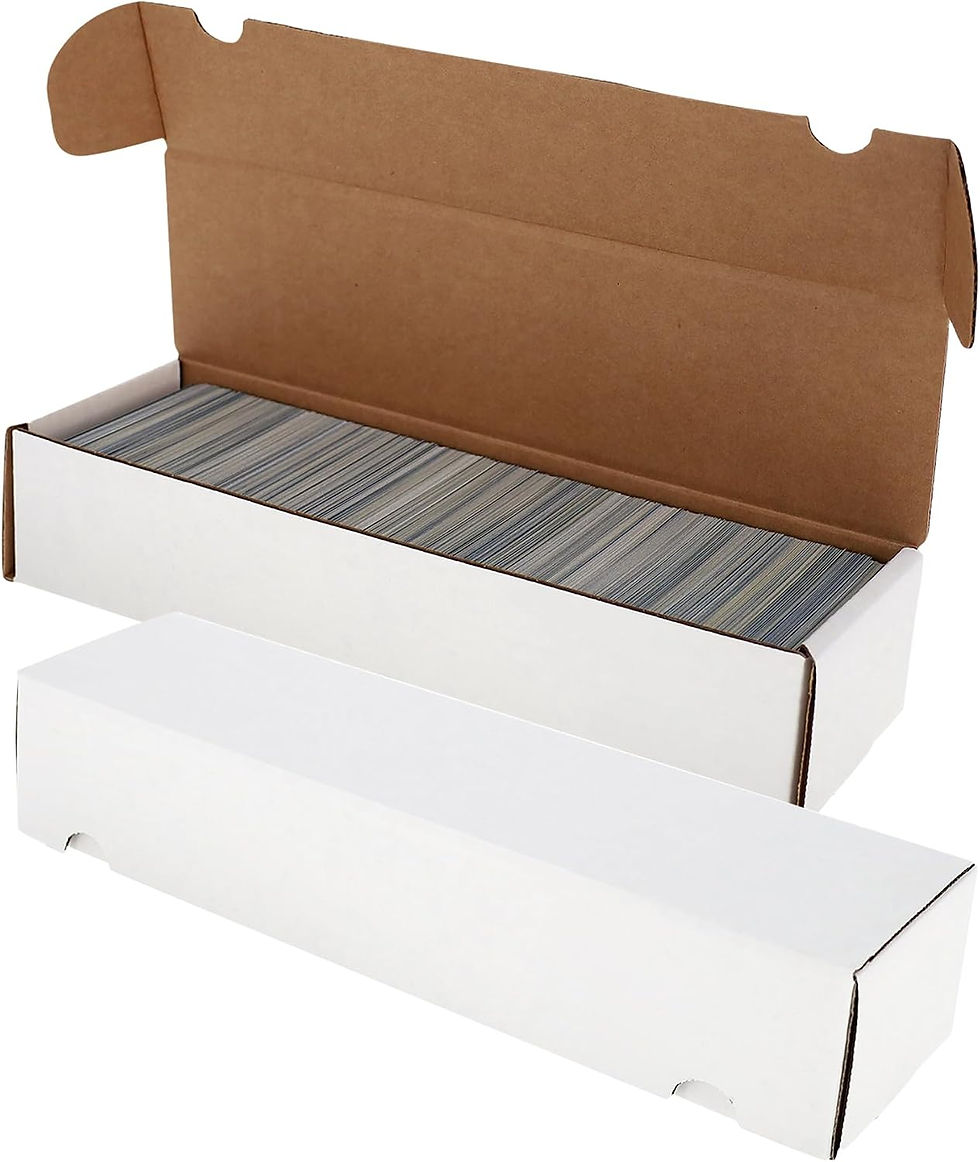
Storage Boxes | Keeps inventory organized and easy to locate. | |
Drawer Organizers or Sorting Trays | Speeds up inventory retrieval during live streams. | |
Penny Sleeves | Protects cards immediately after each sale. | |
Top Loaders | Prevents bending during shipping. | |
Semi-Rigid Holders | Excellent for higher-value cards and grading submissions. | |
Team Bags | Keeps protected cards secure during shipping. | |
Bubble Mailers | Adds cushioning and protects cards in transit. | |
Shipping Scale | Helps calculate accurate postage and avoid overpaying. | |
Label Printer | Prints professional shipping labels quickly and reliably. | |
Packing Tape & Painter's Tape | Secures packages while allowing top loaders to be opened without residue. | |
Cable Management Supplies | Keeps your workspace clean and prevents tangled cables. | |
Surge Protector | Protects your streaming equipment from power surges. |
Success on Whatnot isn't built on expensive gear.
It's built on trust.
When buyers can clearly see every card, hear every explanation, and receive their purchases quickly and safely, they're far more likely to return for future streams.
Think about the journey you've built throughout this guide.
You started by creating a technically reliable stream.
Then you developed systems to organize inventory and fulfill orders efficiently.
Finally, you assembled a workspace with the tools and supplies that support those systems.
Each piece builds on the last. Together, they create a professional operation that can grow from a few weekly auctions into a thriving trading card business.
You don't need to buy everything at once.
Start with what you have, improve one area at a time, and focus on making each stream a little better than the last. Over time, those small improvements compound into a setup that not only looks professional but also helps you serve your customers with confidence.


Comments